PDF Invoices: Configuration
Settings of the PDF Invoices module for OXID eShop 7.x: numbering, storage path, email attachment, logo, creditor ID, debug logging and the invoice tab in the order.
PDF Invoices: Configuration
Live Demo: Try this and other plugins live — no installation, no risk: demo.markus-michalski.net
This documentation always describes the latest published version.
You find the module settings in the OXID admin under Extensions > Modules > PDF Invoices > Settings.
Settings
General settings
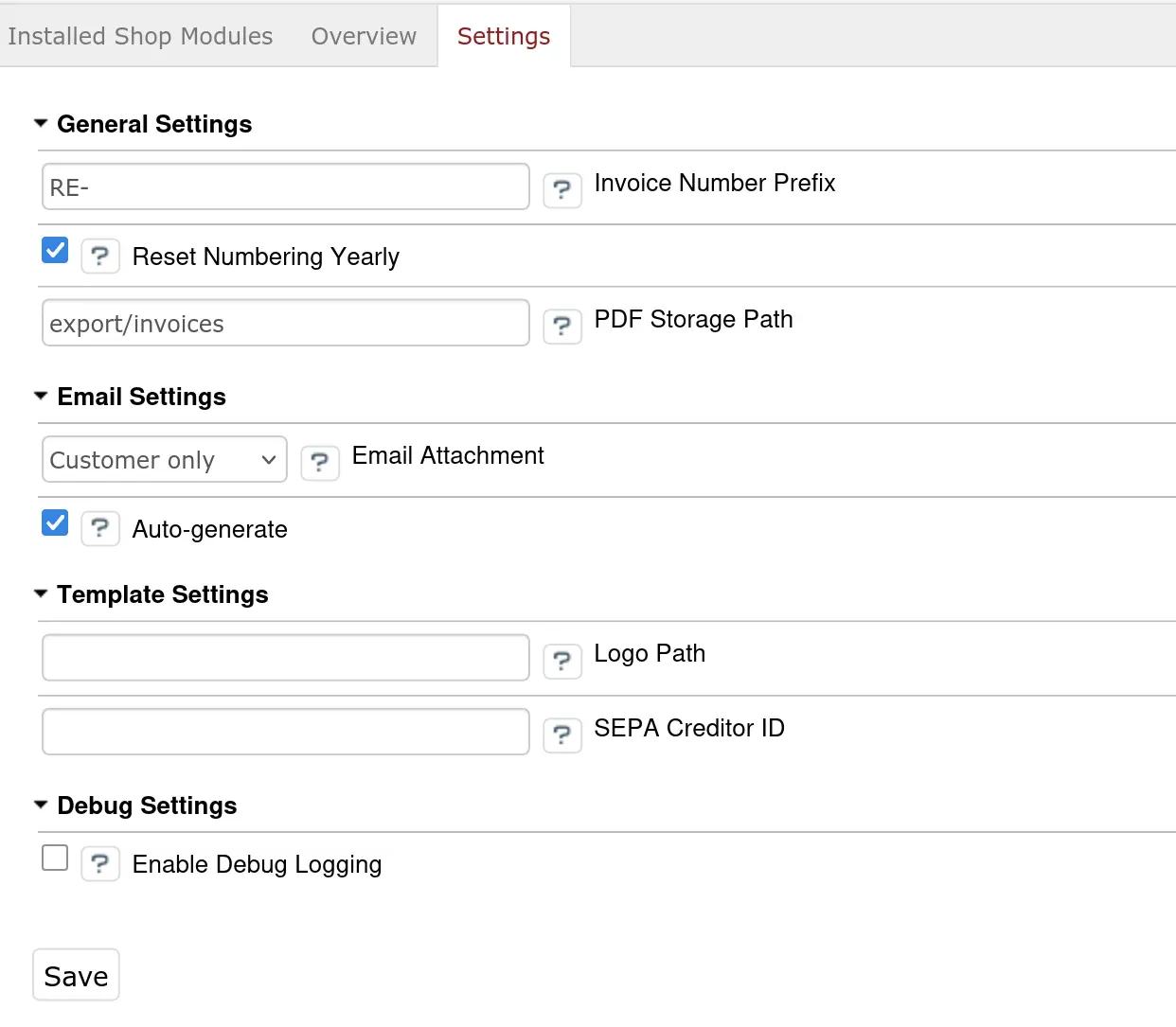
| Setting | Default | Description |
|---|---|---|
| Invoice Number Prefix | RE- |
Prefix of the invoice number, for example RE- or INV- |
| PDF Storage Path | export/invoices |
Storage directory of the PDF files, relative to the shop directory (source/) |
Invoice Number Prefix: The number has the format {prefix}{year}-{running number, 5 digits}, for example RE-2026-00001. The counter runs per shop and calendar year and starts at 1 again with every new year. If you change the prefix in the middle of a year, the counter continues and only the new numbers get the new prefix.
The admin area also shows the setting "Reset Numbering Yearly". It has no effect in the code. Numbering always runs per shop and year, whatever the option is set to.
PDF Storage Path: Only paths relative to the shop directory are possible. Below it the module creates the structure {shop ID}/{year}/{month}/{invoice number}.pdf. The path of each invoice is stored with the invoice. Changing the storage path later does not move existing files, they are still found at the old location.
The module only creates the
.htaccesswithDeny from allfor the default pathexport/invoices. With a custom storage path you have to block direct access to the directory yourself, otherwise the invoices are reachable via URL.
Email settings
| Setting | Default | Description |
|---|---|---|
| Email Attachment | Customer only | To which order email the invoice is attached |
| Auto-generate | Yes | Create a missing invoice automatically when the order email is sent |
Options for "Email Attachment":
| Option | Effect |
|---|---|
| Do not attach | The invoice is not attached to any order email |
| Customer only | Attached to the order confirmation to the customer |
| Shop owner only | Attached to the order notification to the shop owner |
| Both | Attached to both emails |
Template settings
| Setting | Default | Description |
|---|---|---|
| Logo Path | empty | Path to the logo, relative to out/pictures/. Empty = use the shop logo |
| SEPA Creditor ID | empty | Creditor identifier, printed in the SEPA direct debit block of the invoice |
If the module does not find the logo file under out/pictures/, the shop name appears in the invoice header instead of the logo.
Debug settings
| Setting | Default | Description |
|---|---|---|
| Enable Debug Logging | Off | Switches on additional flow messages of the module (PDF creation, number assignment, sending) for the OXID log |
Errors are always logged regardless of this setting. The module writes through the OXID logger and does not create a log file of its own.
When is an invoice created?
There is no order event and no cron job. An invoice is created in exactly two places:
- When the order email is sent, if the attachment is intended for this email and the invoice is still missing.
- Manually via the "Create Invoice" button in the admin area.
When an order email is sent, the module checks in this order:
| Check | Result |
|---|---|
| Does "Email Attachment" match the recipient type of the email (customer or shop owner)? | If not, nothing is attached and nothing is created |
| Does an invoice already exist for the order? | If yes, it is attached |
| Is "Auto-generate" enabled? | If yes, the invoice is created now and attached. If not, the email is sent without an invoice |
"Auto-generate" therefore only controls whether a missing invoice is created when the email is sent. An invoice that already exists is attached even if the option is off.
If "Email Attachment" is set to "Do not attach", no invoice is ever created when emails are sent, even if "Auto-generate" is enabled. In that case you create invoices manually in the admin area.
Further notes:
- The invoice number is assigned on creation, and the invoice date is the date of creation (not the order date).
- There is at most one invoice per order and shop.
- If attaching fails, the error is logged and the order email is still sent.
- The status "Sent to Customer" or "Sent to Shop Owner" is set as soon as the invoice has been attached to the email.
Invoice tab in the order
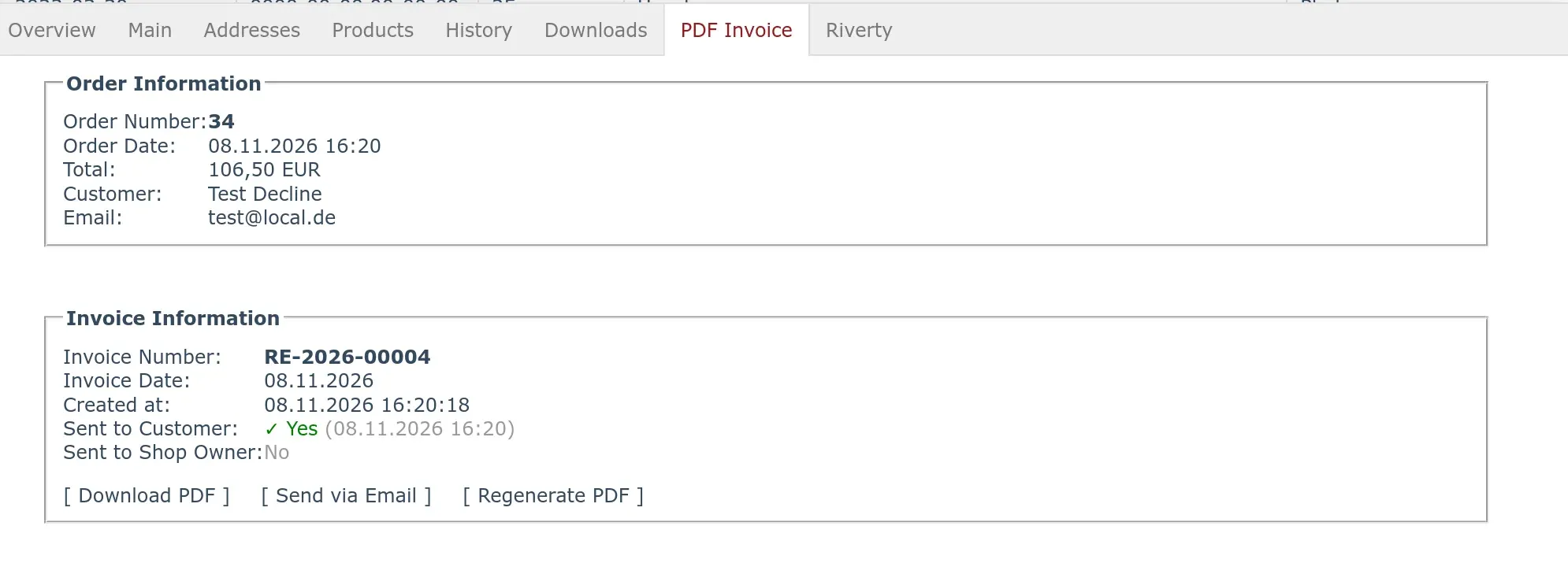
In the OXID admin, open an order under Manage Orders > Orders and select the tab PDF Invoice.
The tab shows the order information (order number, order date, total, customer, email) and the invoice information (invoice number, invoice date, created at, sent to customer, sent to shop owner, each with timestamp).
Actions
| Action | Visible when | Effect |
|---|---|---|
| Create Invoice | as long as no invoice exists | Creates number, snapshot and PDF |
| Download PDF | when an invoice exists | Downloads the PDF file (Rechnung-{invoice number}.pdf) |
| Send via Email | when an invoice exists | After confirmation, sends a separate invoice email to the customer |
| Regenerate PDF | when an invoice exists | After confirmation, renders the PDF again from the stored snapshot |
Separate invoice email: It goes to the billing email address of the order, contains the PDF as attachment and sets the status "Sent to Customer". The subject is "Ihre Rechnung {invoice number}" (with an English admin language "Your Invoice {invoice number}"). The email text is fixed in German and consists of a greeting, one sentence with invoice and order number, a closing and the company address.
Regenerate PDF: Number and date of the invoice stay the same. The PDF is created from the order's stored snapshot, while the shop master data (company address, bank account) and the logo are read as they are now. The old file is replaced and the hash value is updated.
Related pages
- Template and Variables: layout and payment information
- Troubleshooting: when something does not work as expected
- Technical: flow, database and snapshot